This program solves the problem of needing to monitor one frequency, but also wanting to temporarily switch over to another frequency to receive a bulletin or other information, then switch back to your primary frequency – while you’re away, or asleep, or otherwise occupied with life.
SitRepNet Scheduler lets an unattended or lightly attended station keep monitoring its usual frequency — the primary frequency — in JS8Call or FLDIGI, while still catching bulletins and nets that happen on other frequencies at known times and days each week. Need to listen to a net that meets on Mondays at a time when you won’t be there, but you want to remain on your primary frequency before and after that net? SitRepNet Scheduler handles it.
At each scheduled time it switches the program to the bulletin’s frequency, audio offset, and JS8Call speed or FLDIGI mode. When the window ends, it puts the program back exactly as it was just before the switch. The operator doesn’t have to be there, and doesn’t have to remember to change back.
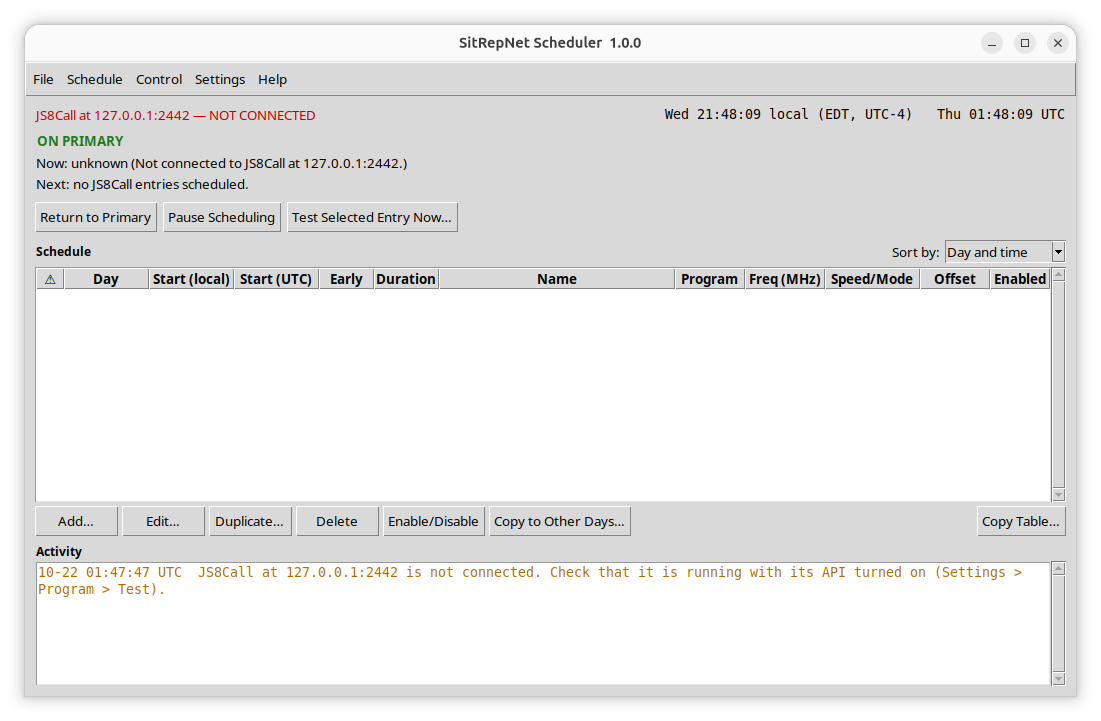
See the Change Log for what’s new in this version – 1.0.0
- Overview
- Installation Instructions
- User Manual
- Change Log
- Install File (.ZIP format)
- PGP Authentication File (.sig format)
⚑ (Optional) Download the PGP signature file for the install package to authenticate the file using PGP key:
KN4AM – Stephen Clay McGehee – 0x7C57A3E5
Available here – https://sitrepnet.com/public-keys/.
Use Kleopatra or another PGP program to confirm that the install Zip file is exactly as created by KN4AM, and has not been corrupted, modified, or tampered with.
