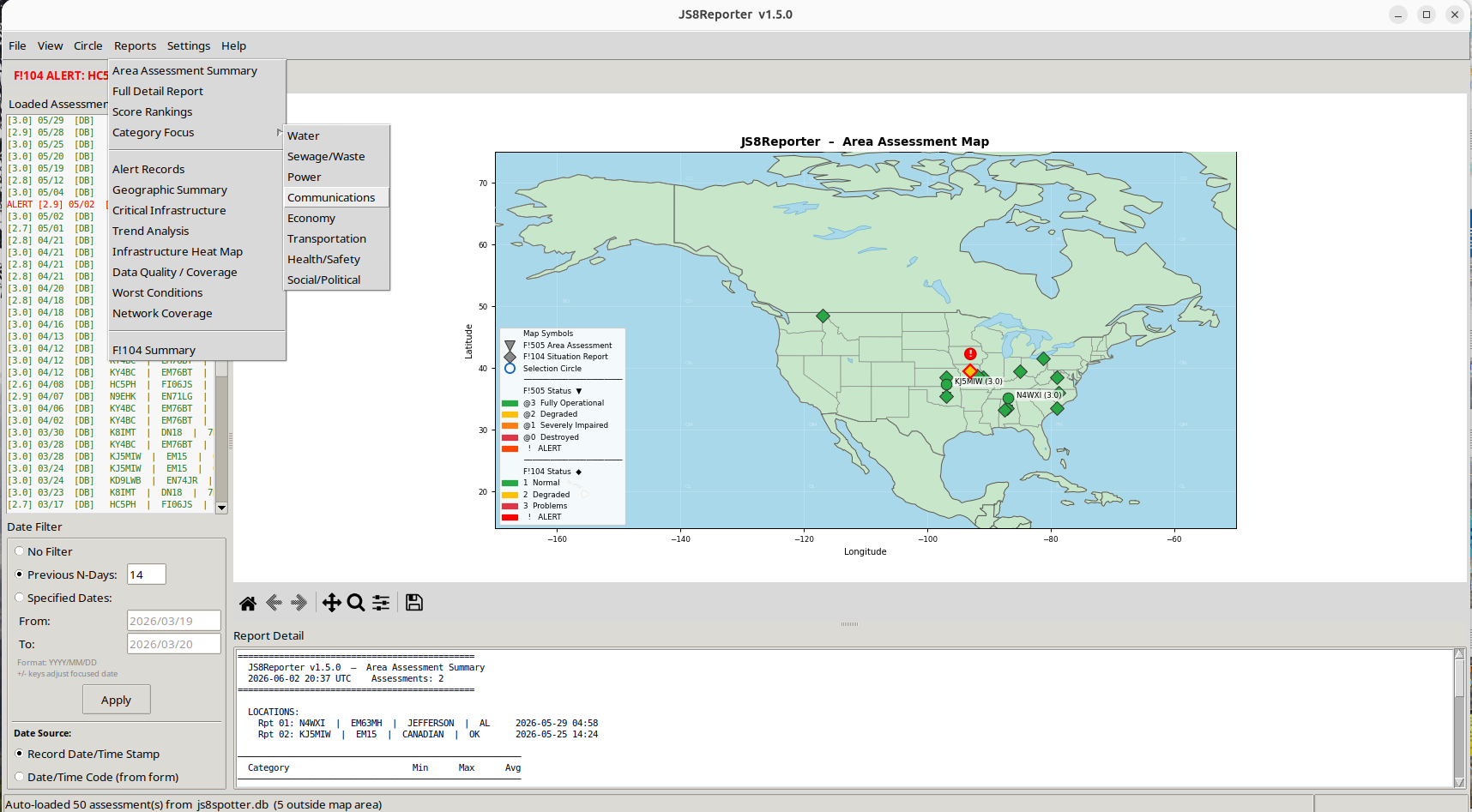
Click image for full size view.
JS8Reporter is a Situational Awareness program, and a companion program to JS8Spotter. It reads F!104 SITREP Basic Check-in and F!505 Area Assessment form data received via JS8Call / JS8Spotter and displays that data on an offline map of North America, and in filtered and tabulated reports, allowing emergency managers, radio operators, and others to visualize the operational status of infrastructure across a wide area. Area Assessments are produced by a decentralized network of individual radio operators, making it relatively free of media or institutional bias for a very realistic assessment of conditions around the country. The F!104 @SITREP Basic Check-in form is an efficient way to report for times when all is well.
JS8Reporter operates entirely offline at runtime. No internet connection is required once the program and its map data are installed. JS8Reporter can be used as a stand-alone program when provided with files exported directly from JS8Spotter; this gives emergency management professionals a powerful tool when supported by their local amateur radio operators.
JS8Reporter is preparedness for some future time when the internet, cell phones, news media, and other forms of communications that we depend on are compromised or unavailable. Building and maintaining proficiency now is what will make it a realistic solution later.
JS8Reporter is a project of SitRepNet.
Key capabilities:
• Displays color-coded map pins showing infrastructure condition at each reporting station’s grid square location
• Tabulated summary and detail views of all received assessments
• Date filtering to focus on a specific time window
• Circle filter to focus on a geographic area
• Time Lapse playback to see trends and changing conditions over time
• ALERT detection with prominent notification
• GPIO alert output (Raspberry Pi only) enabling an external light or buzzer
• Twelve analytical report types exportable to text files
• Export of map images and tabular data
• IGNORE.TXT — call signs in this file are ignored when loading from any source
(see the JS8Reporter User Manual for more)
⚑ Program Overview – An outline of the program, what it is, what it does, and how it works. Sort of a short version of the full User Manual.
Best Practice Notes for F!505 and F!104
JS8Reporter depends entirely on receiving F!505 and F!104 reports from other stations – and other stations depend on the reports you send. Following these guidelines for using JS8Spotter, F!505 and F!104 will help build an effective network for exchanging local conditions around the country.
- Use the F!104 when all is normal and functioning. This is a much smaller and faster report form.
- Use the F!505 when the situation is degraded, and occasionally when all is normal. This is a very detailed report.
- Primary frequency is the standard JS8 calling frequency – 7.078
- F!505 and F!104 should always have the current date. Without a current date, reports are seen as duplicates, and only the original date on the report is used. The current date/time code is updated each time you save it.
- On a daily basis, or as appropriate, update your F!505 or F!104 report as follows:
- Go to Tools > Forms > (select report)
- Click on Load Posted Expect Form (or complete a new report if this is the first time)
- Review and make any needed changes to update the assessment
- If the situation truly calls for it, enter ALERT in the Form Comment field.
- Don’t keep ALERT on the form any longer than necessary. Overuse of it will reduce its effectiveness and it will soon be ignored.
- Click on Post Form to Expect – this will update your report to the current date and time
- Set JS8Spotter to automatically send your report(s) as follows:
- Click on Tools > Expect System
- Double-click on the report to be sent
- Set Auto TX Target to @SITREP
- In Auto TX Schedule, enter 2 or 3 times for the F!505 when things are degraded.
- You can enter more frequent Auto TX times for the much smaller F!104 to automatically send this form.
- Generally, the best time on 7.078 is just before or soon after sunset or just before or soon after sunrise.
- Time is in UTC (not local time), and uses your system date and time
- Occasionally check to confirm that both your system date and system time are correct
- Avoid sending the F!505 more frequently than needed – use your best judgement based on the situation
- Try to pick fairly random times so we don’t interfere with each other. If everyone posts at the top of the hour, you will miss reports because your station is sending and not receiving.
- Include “ALERT” in the Comment field ONLY IF APPROPRIATE.
All download links have been moved to this page

➊ this can be improved, and
➋ we can get you up and running.
Updating an existing copy of JS8Reporter
❏ Unzip the install file, and replace js8reporter.py and JS8Reporter_User_Manual.txt
❏ If updating from a version prior to 1.4.2, also replace run.sh, run.bat, setup.py, and add Installation_Guide.txt; then re-run setup.py.
❏ For updating to version 1.5.1 (or higher): This update changes the map data from 1:110m to 1:50m resolution. After replacing js8reporter.py, run python3 setup.py once to download the new map files (~8 MB). The old map files in data/shapefiles/ can be deleted after setup completes, but leaving them in place causes no harm.
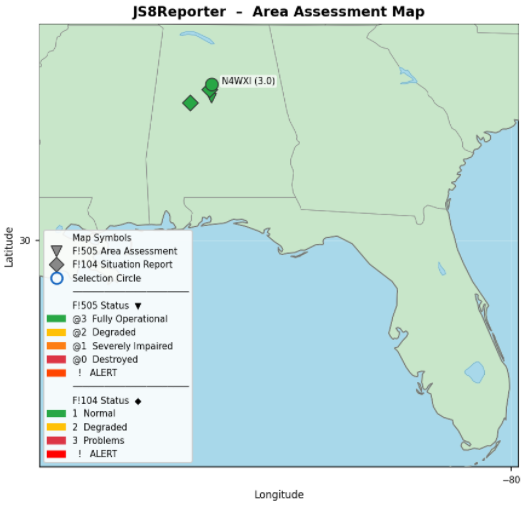
New higher resolution map – version 1.5.1 and later.
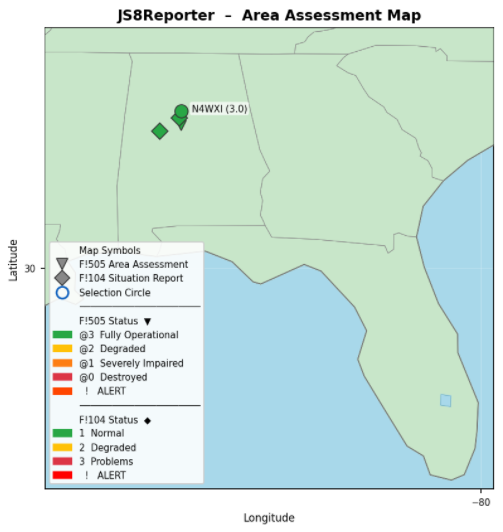
Lower resolution map – version 1.5.0 and earlier.
Test Scenario – Operation DarkFall
Operation DarkFall was created using AI as a fictional terrorist attack scenario to test JS8Reporter. Details are here – https://sitrepnet.com/operation-darkfall/
⚑ Sample reports created using Operation DarkFall sample data – 10 reports in .txt format (Download .ZIP file)
(standard MIT license)
Permission is hereby granted, free of charge, to any person obtaining a copy of this software and associated documentation files (the “Software”), to deal in the Software without restriction, including without limitation the rights to use, copy, modify, merge, publish, distribute, sublicense, and/or sell copies of the Software, and to permit persons to whom the Software is furnished to do so, subject to the following conditions:
The above copyright notice and this permission notice shall be included in all copies or substantial portions of the Software.
THE SOFTWARE IS PROVIDED “AS IS”, WITHOUT WARRANTY OF ANY KIND, EXPRESS OR IMPLIED, INCLUDING BUT NOT LIMITED TO THE WARRANTIES OF MERCHANTABILITY, FITNESS FOR A PARTICULAR PURPOSE AND NONINFRINGEMENT. IN NO EVENT SHALL THE AUTHORS OR COPYRIGHT HOLDERS BE LIABLE FOR ANY CLAIM, DAMAGES OR OTHER LIABILITY, WHETHER IN AN ACTION OF CONTRACT, TORT OR OTHERWISE, ARISING FROM, OUT OF OR IN CONNECTION WITH THE SOFTWARE OR THE USE OR OTHER DEALINGS IN THE SOFTWARE.
